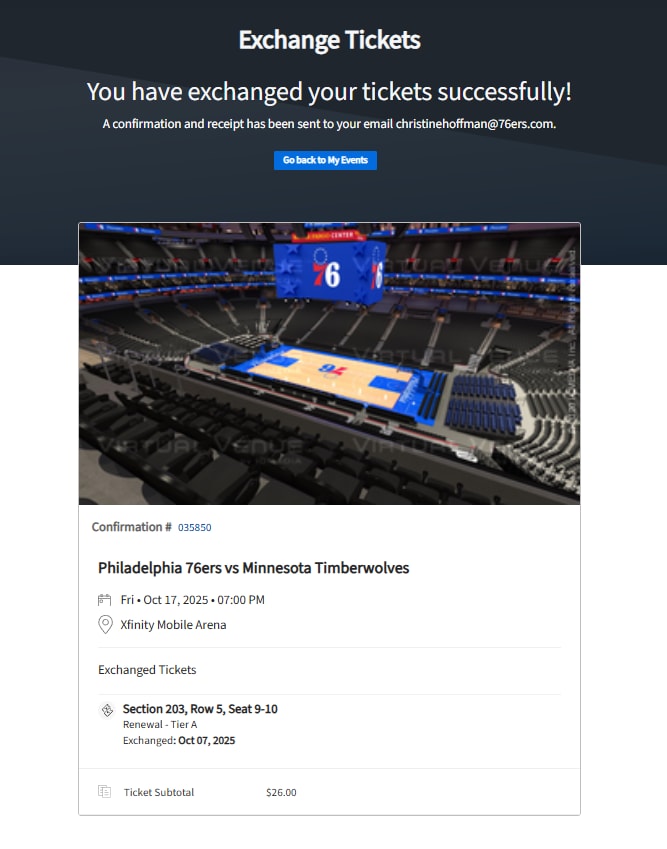
Is there a game in the 2025-26 NBA Season that you won't be able to attend? As a Society 76 Member you have a variety of benefits that will help you maximize your membership. The Society 76 Ticket Exchange Program allows you the ability to exchange for additional tickets to other games.
Policies
- Exchanges must be completed online via the 76ers Online Account Manager at least 72 hours prior to the game you cannot make.
- Tickets can only be exchanged to a game within the same tier or a lower tier. See Game Tiers.
- Ticket exchanges will be available for equivalent seat locations - or upgrade your seats at an additional cost.
- Members who are on the interest free payment plan cannot exchange games that are currently not paid for in the payment plan. If a member would like to pay in advance, they can contact their 76ers Representative.
- Maximum of three exchanges into the same game.
- Exchanged games are not intended for resale.
- Season ticket members will have the ability to exchange up to 10 games throughout the season (Half-Season Members will be limited to 5 games and Partial Plan holders will be limited to 1 game).
- Games and seating locations eligible for exchange are based on availability and are subject to change.
If you have any questions, please contact your 76ers Representative.
HOW TO EXCHANGE TICKETS
- Go to https://am.ticketmaster.com/sixers/ and log into your season ticket member account.
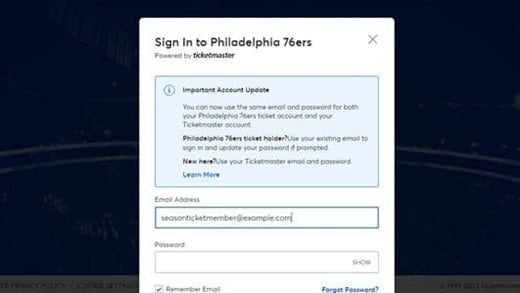
- Using the menu bar on the top left, click “My Events”.

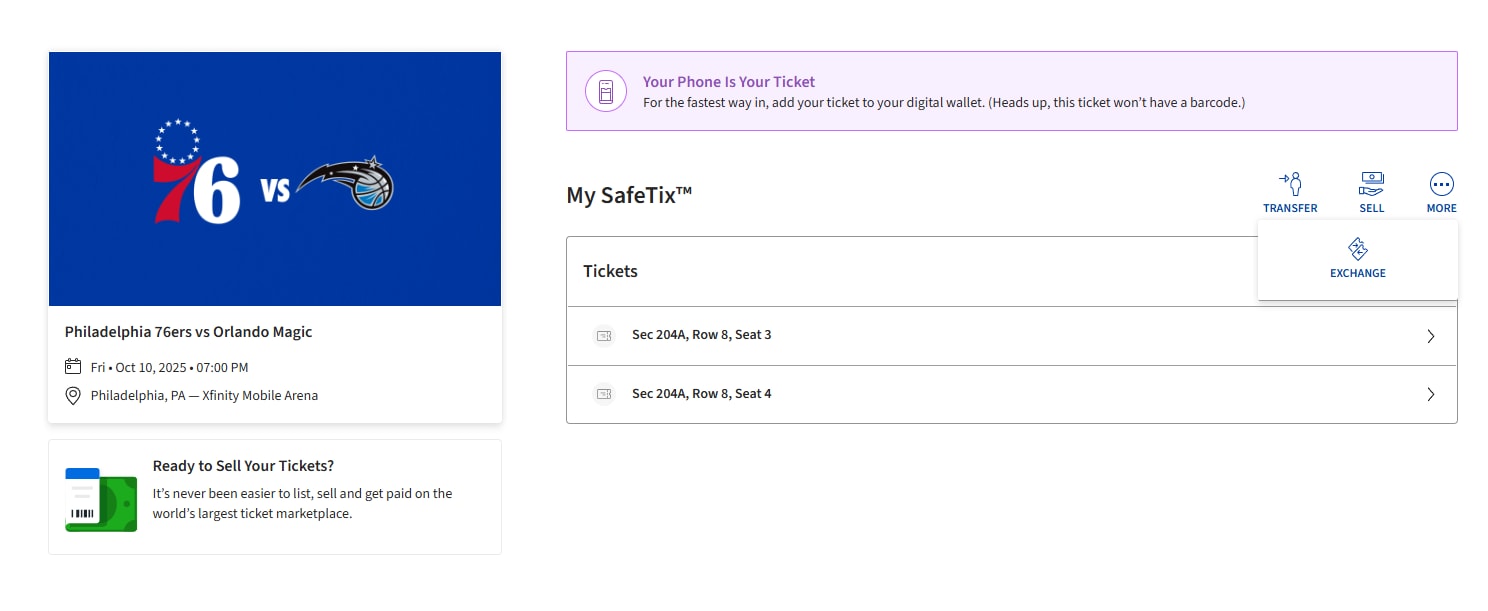
- Click "View Event Details" for the game you would like to exchange.
- Click the "MORE" icon above your seat locations and select "EXCHANGE".
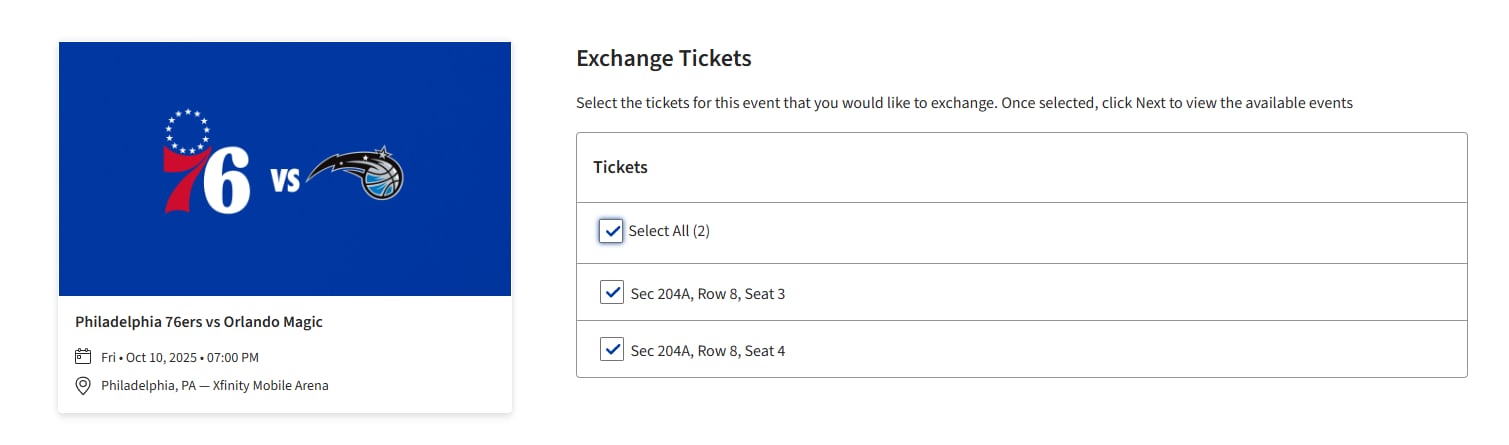
- Select the seat(s) you would like to exchange and click "Continue".
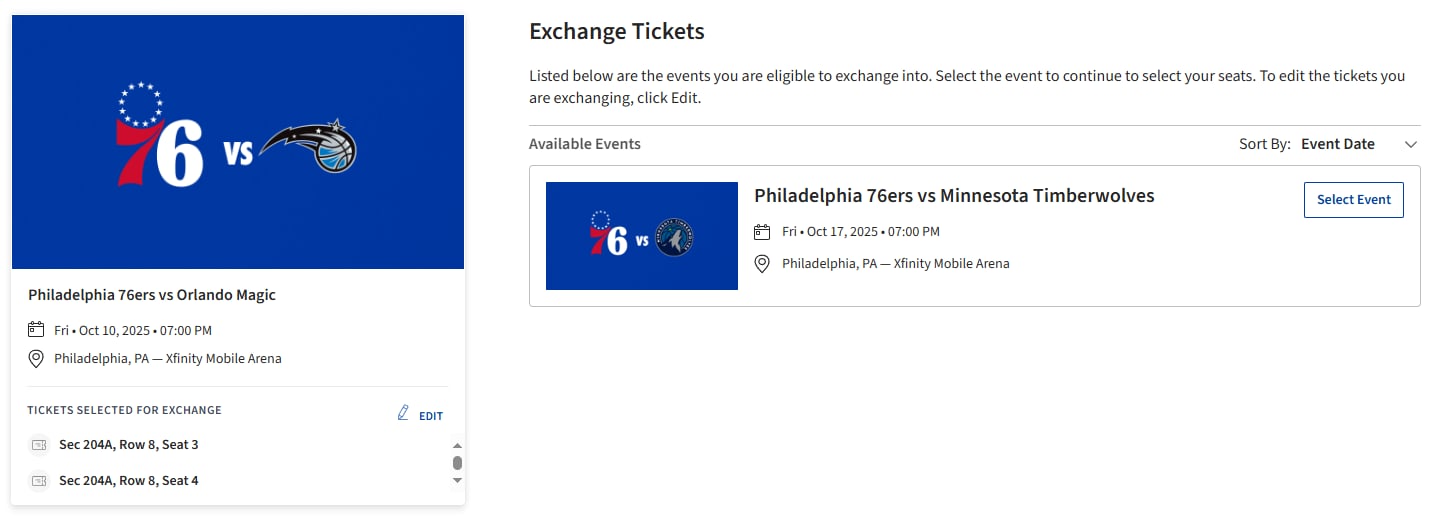
- Once you choose the game you would like to exchange into, click "Select Event".
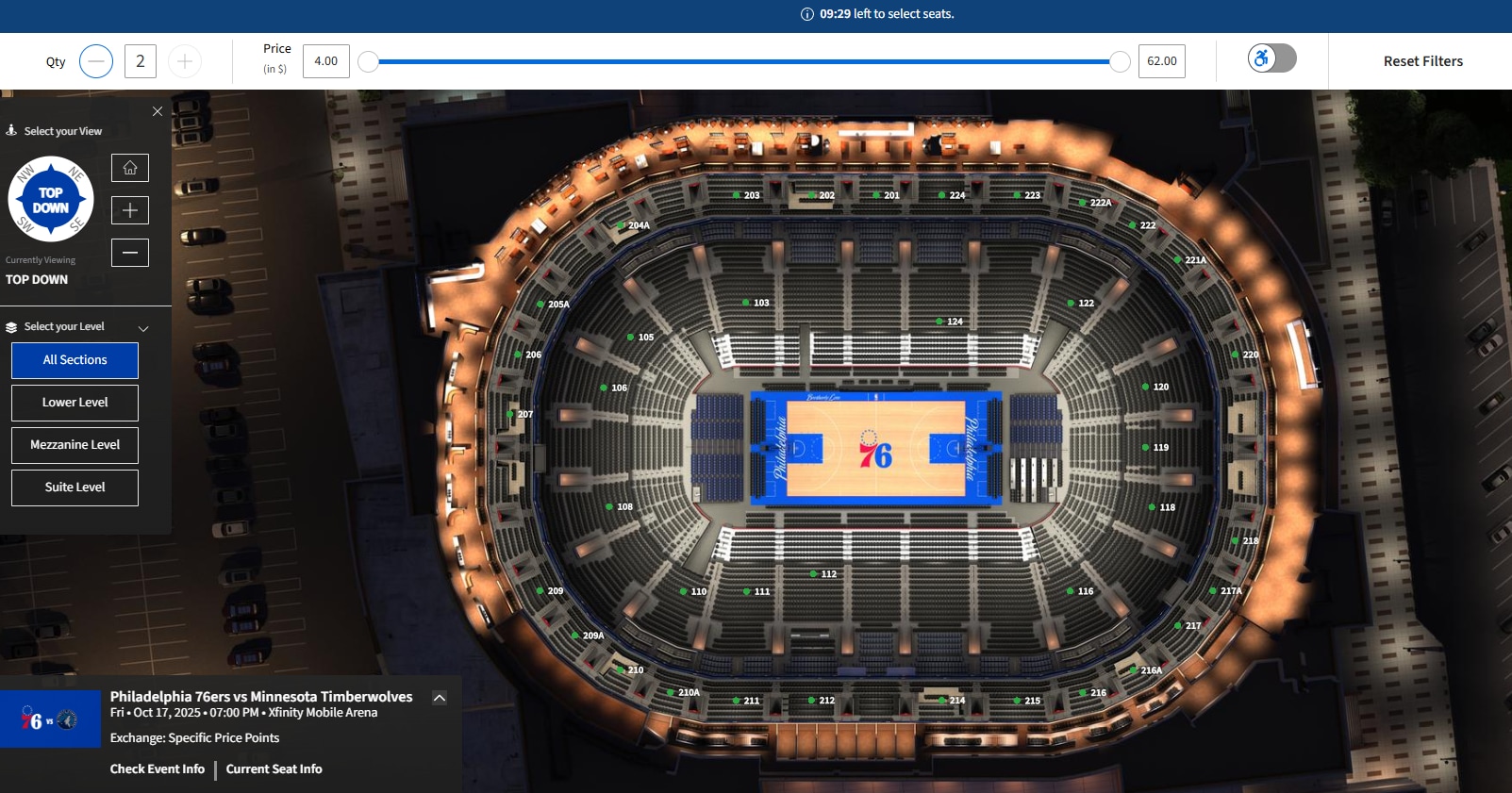
- Using the Virtual Venue, select the seat location you would like to exchange. If a location is more expensive than your current seat location, you will be prompted to pay the difference upon check out.
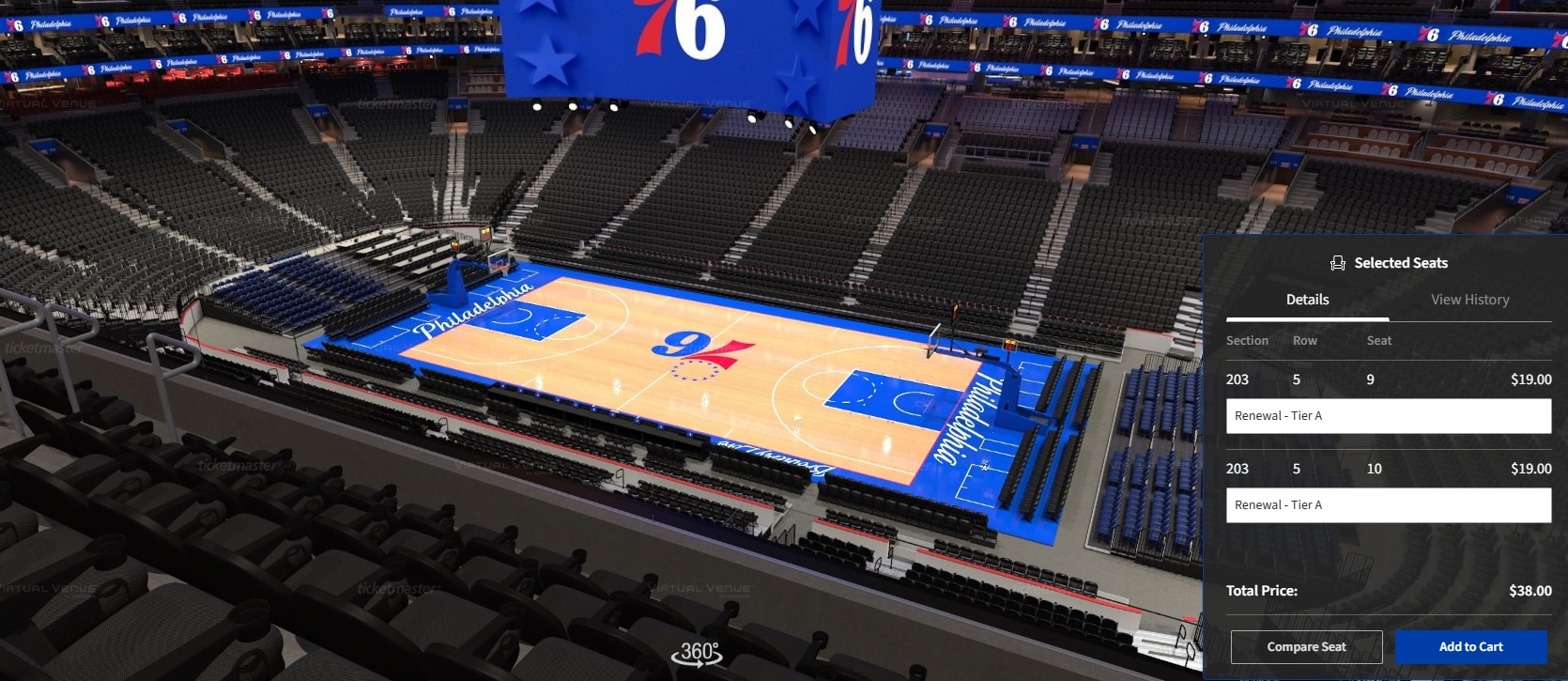
- Review your selected seats. Once confirmed, click "Add to Cart", then click "Continue".
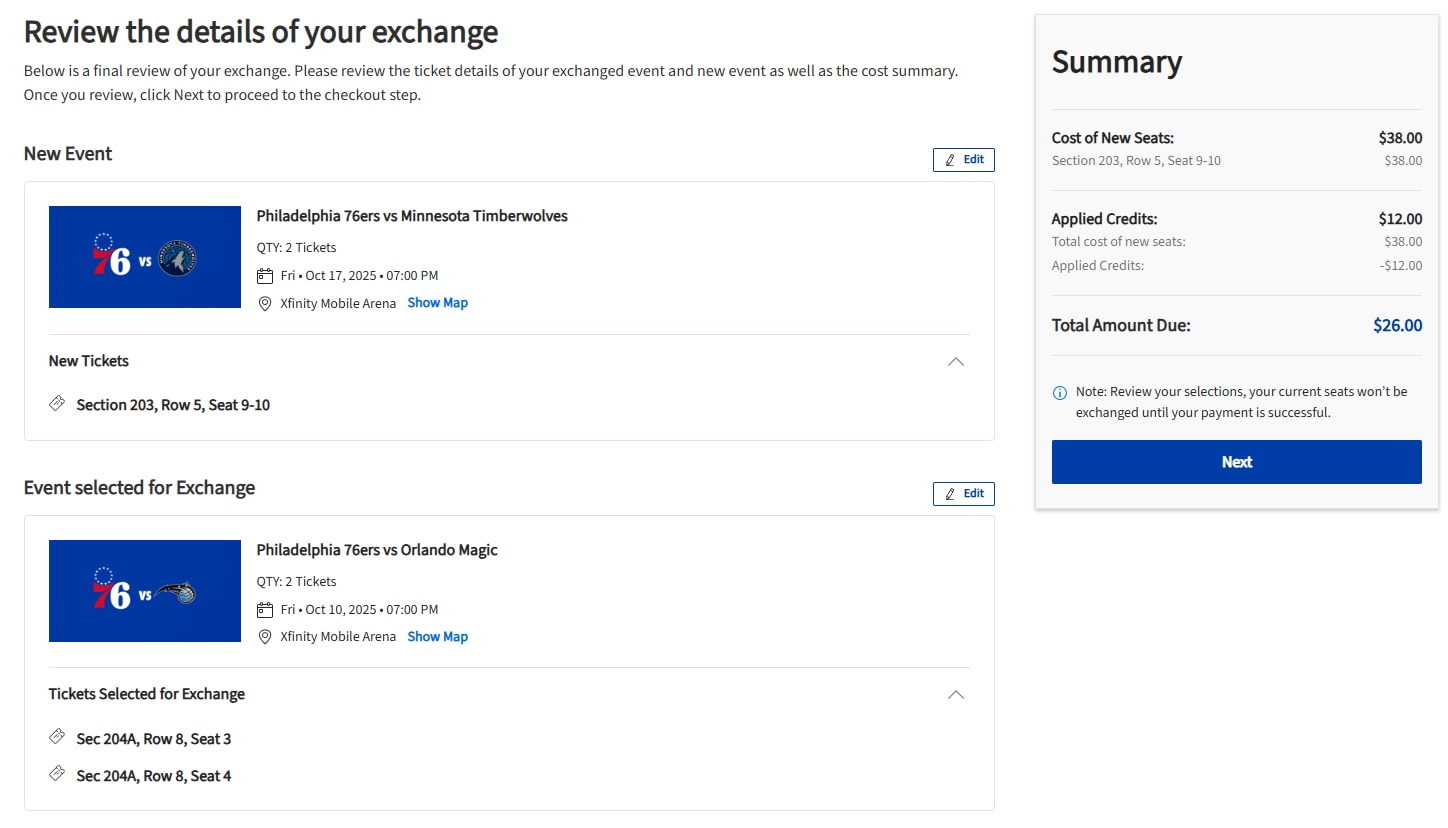
- Review the details of your exchange, then click "Next".
- Select "SeatExchange" as your delivery method. If you purchased seats at a higher price point than your season tickets, you will be asked to make a payment to cover the difference between the seats.
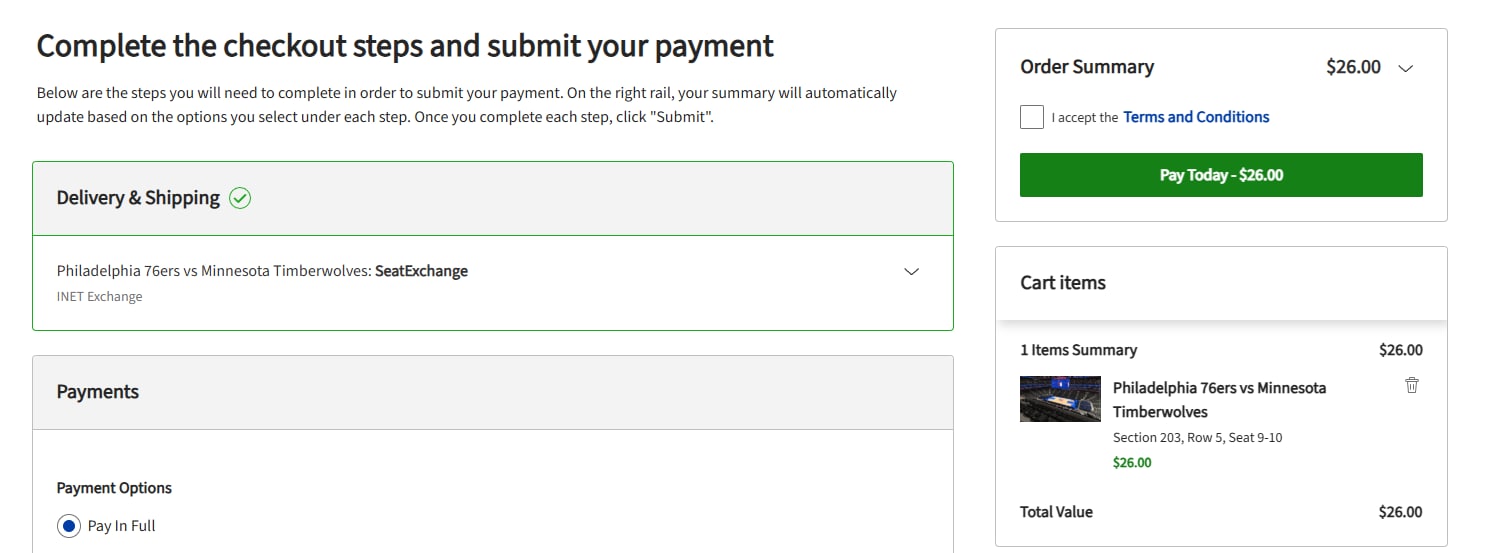
- Read and accept the Terms and Conditions, then click "Place Order". Your new tickets will be active in your 76ers Online Account Manager.